
Cart 0
Top Features to Look for in a PTZ Conference Camera
Top Features to Look for in a PTZ Conference Camera
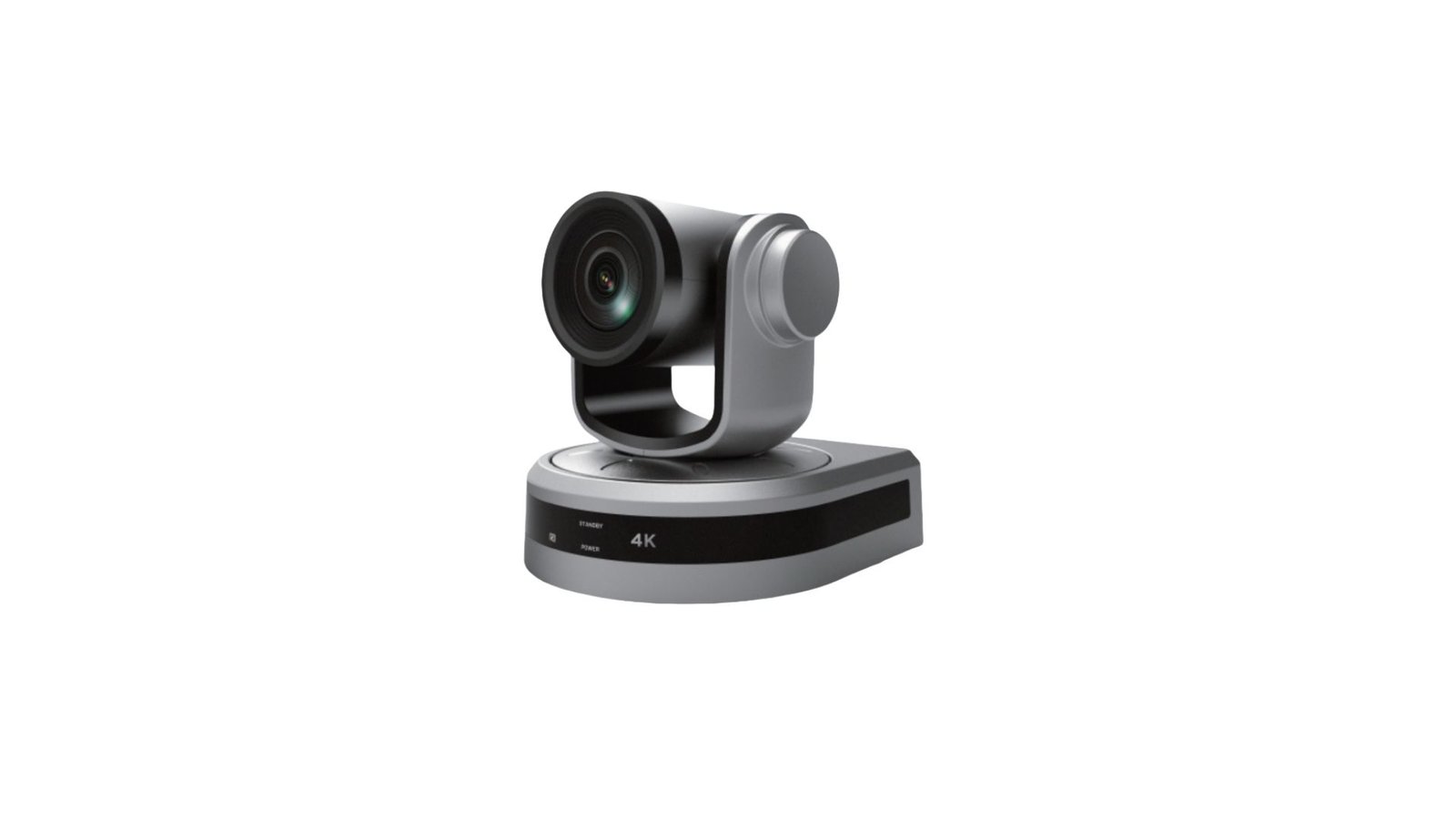
Table of Contents
In a professional video conferencing setup, the quality of your camera defines how clearly your message is delivered. While basic webcams might suffice for informal chats, PTZ conference cameras offer the performance, flexibility, and control that businesses need for formal meetings, virtual training, hybrid collaboration, and external communication.
To make an informed purchasing decision, it’s essential to understand the top PTZ camera features that separate consumer-grade devices from enterprise-ready solutions. This guide outlines the most valuable features to look for in a PTZ camera, especially for use in business and institutional environments.
Why Features Matter in Business Use
PTZ cameras are long-term investments. Choosing the right model based on your business requirements helps you avoid costly upgrades, compatibility issues, or poor user experiences later on. The following features are not just technical enhancements—they directly affect productivity, meeting efficiency, and visual professionalism.
1. Optical Zoom (10x–30x)
Unlike digital zoom, optical zoom uses physical lenses to magnify the subject without losing image clarity. This is critical when:
Covering large meeting rooms or auditoriums
Focusing on whiteboards or documents
Broadcasting speakers at events
Look for PTZ models offering at least 10x optical zoom for small-to-medium rooms and 20x+ for larger spaces.
2. Auto-Tracking and Facial Recognition
Auto-tracking allows the camera to follow the active speaker without manual control, ensuring the audience always sees the person speaking.
Advanced models offer AI-powered tracking and facial recognition, which:
Automatically switch focus between participants
Eliminate the need for an operator
Enhance engagement in hybrid settings
This feature is especially valuable in boardrooms, lecture halls, and training sessions.
3. Preset Positions
Most PTZ cameras allow you to program preset camera positions, which can be activated with one click. These are particularly helpful when:
Switching between different speakers or seating zones
Focusing on shared materials (e.g., flipcharts, monitors)
Minimizing meeting setup time
Look for cameras that support at least 10 presets, with remote or software-based activation.
4. High Resolution (Full HD or 4K)
Modern PTZ cameras should support 1080p or 4K resolution, ensuring a crisp, detailed image even when zoomed in.
Higher resolution benefits:
Clarity in facial expressions and gestures
Improved readability of physical materials
Professional image when communicating with clients or stakeholders
Note: Higher resolution models may require more bandwidth and powerful computers for streaming.
5. Wide Field of View (FOV)
Field of View (FOV) determines how much of the room the camera can capture. Wider FOVs (70°–90°) are ideal for:
Small meeting rooms
Capturing multiple people at once
Avoiding blind spots
Ensure the FOV is balanced with your zoom needs—extremely wide lenses may distort image quality.
6. Low-Light Performance
Conference rooms often suffer from inconsistent lighting. A high-performing PTZ camera should have:
Low lux rating (ability to operate in dim conditions)
WDR (Wide Dynamic Range) to handle shadows and highlights
Noise reduction to maintain image clarity in darker settings
These features are especially useful for early-morning or late-evening meetings.
7. Connectivity Options (USB, HDMI, SDI, IP)
The more output and control interfaces a PTZ camera has, the more versatile it becomes. Key connection types include:
USB: Ideal for plug-and-play with laptops and PCs
HDMI/SDI: For integration with broadcast and AV systems
IP (RTSP/RTMP/NDI): For live streaming, network control, and remote configuration
Choose models based on your AV environment and growth plans.
8. Quiet and Smooth Motor Operation
Since PTZ cameras physically move during use, motor noise can be disruptive in quiet rooms. Look for models with:
Whisper-quiet motor systems
Smooth pan/tilt movement (measured in degrees/second)
Durable, long-life mechanical components
This is crucial in executive boardrooms, lecture halls, and legal environments.
9. Remote Management and Control
For IT teams managing multiple rooms or campuses, centralized control software is essential. Preferred features include:
Remote firmware updates
API access or integration with AV control platforms (Crestron, Extron)
Monitoring camera status from a control center
This enhances scalability, especially in enterprise and education settings.
10. Platform Compatibility and Certifications
Finally, ensure your PTZ camera is certified or fully compatible with:
Zoom Rooms
Microsoft Teams Rooms
Google Meet
OBS, vMix, or streaming platforms (for hybrid events)
Certified models reduce IT support time, ensure better performance, and offer native control features in the conferencing software.
Conclusion
Choosing the right PTZ conference camera involves more than just comparing prices. Features like optical zoom, auto-tracking, low-light sensitivity, and seamless integration determine how well the camera performs in real-world business scenarios. The right set of PTZ camera features can transform your video conferencing experience, reduce operational friction, and leave a lasting impression on clients and colleagues.
Explore our full catalog of feature-rich PTZ cameras and talk to a specialist about the best model for your environment at www.polycams.com. Schedule a demo or request a custom quote for enterprise deployment today.
About The Author

Polycams
Hi, I am Amber, with over 15 years in the video technology industry, I bring deep expertise in professional imaging and AI-powered camera solutions. At Polycams, I’m dedicated to sharing insights that help you achieve seamless, high-quality video communication—whether for business, education, or live streaming.
Latest Posts
-
Best Google Pay Casino Free Spins Uk September 8, 2026
-
Reputable Casinos Not On Gamstop Uk September 8, 2026
-
Casino Minimum Bitcoin Withdrawal 20 September 8, 2026
